Customer approvals
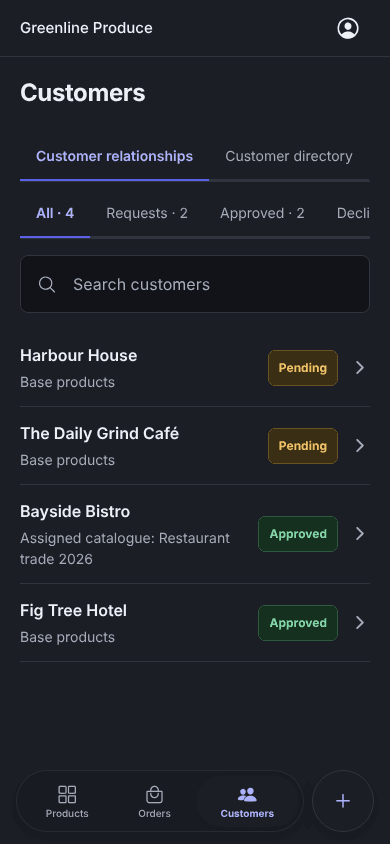
Approve, decline, pause or resume each customer. Only approved customers see prices and can order.
For suppliers
Approve each customer, give them their own catalogue and prices, and accept, pick and dispatch every order from one workspace. Orders arrive from the app, the web and WhatsApp.
Orders
Sales orders
Sales
Sales orders
Review customer orders, delivery destinations, totals, and fulfilment status.
Showing 1-5 of 5
What you get
Approve, decline, pause or resume each customer. Only approved customers see prices and can order.
Give each customer their own range and prices, built by hand or from an Excel price list.
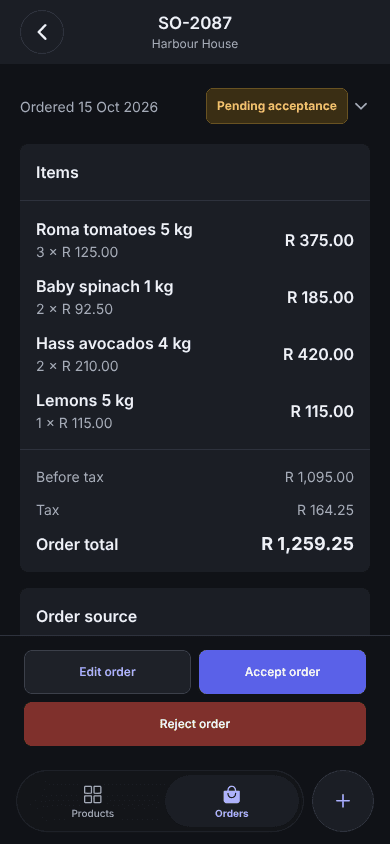
Accept or reject, then mark ready for dispatch, dispatched and completed. Edit orders or create them by hand.
Import up to 10,000 rows from CSV or Excel, connect Sage, and upload photos in bulk.
Customers order by message and confirm a priced reply. You get a normal order with your prices and minimums.
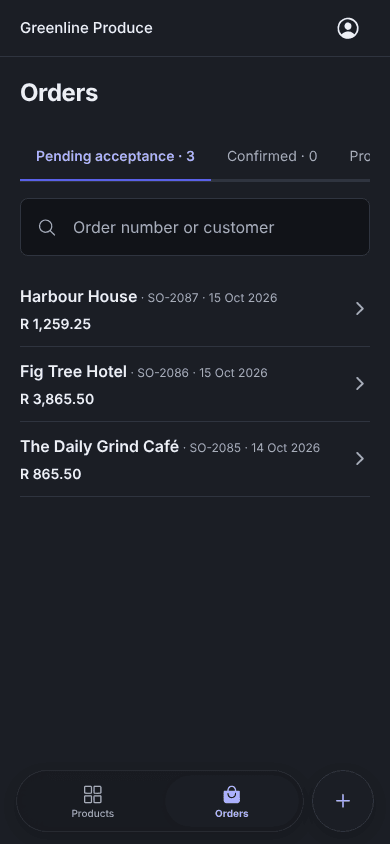
A push notification for every new order and every new customer request.
Purchase orders, goods received, delivery orders, transfers, adjustments, stock counts, returns and reports.
Owners, admins, operators and viewers, with access to each feature set per person.
You stay in control
Customers can browse your range, but only the customers you approve see prices and can order. Each one orders from the catalogue you assign.
Restaurant trade 2026
Assigned to 14 customers
 Roma tomatoes 5 kgR 140.00R 125.00
 Baby spinach 1 kgR 99.00R 92.50
 Hass avocados 4 kgR 225.00R 210.00
In the app
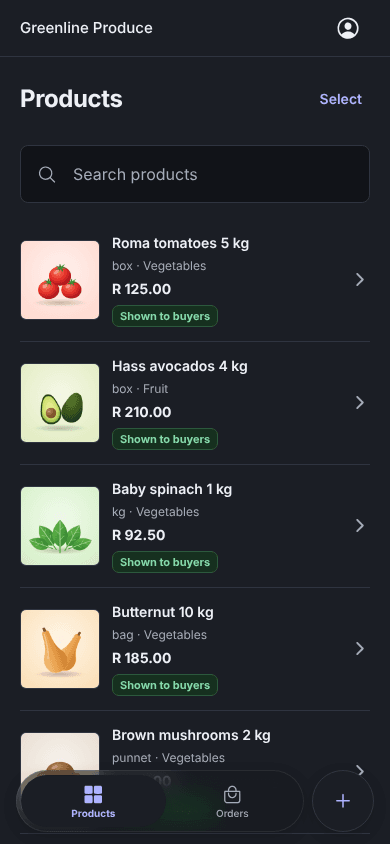
New orders to accept, customers waiting for approval and the product range, on the phone in your pocket.
AI assistantsPreview
Connect your AI assistant to Enoki with your own sign-in. Ask questions in plain language, let it do the typing, or schedule it to run your weekly routine. Anything it changes waits for you to review in Enoki.
Automations and workflows
ChatGPT and Claude can run tasks on a schedule. With Enoki connected, those tasks work with your real orders, products and prices. Anything that would change Enoki still waits for you.
Every Monday, 06:00Supplier
Load this week's price list into Restaurant trade 2026.
Prepared for you to review in Enoki
Every day, 07:00Supplier
Tell me which orders are still pending and who hasn't ordered this week.
A summary in your chat
Every Thursday, 14:00Customer
Build our weekly order from the usual list and show me the cart.
A cart ready for you to check out
Every business orders a little differently. Our team sets Enoki up around how you already work, so orders, prices and stock flow where you need them.
Talk to us about your workflowGetting started
Enoki creates your supplier account and switches on the marketplace for you.
Upload a CSV or Excel price list, connect Sage, or add products by hand. Add photos in bulk.
Customers can find you once your marketplace profile is live.
Accept connection requests and give each customer a catalogue, an account code and a minimum spend.
Accept each order, mark it ready and dispatched, and send it on to your own system as a CSV.
Questions
Restaurants, cafés, hotels and caterers that order from several suppliers, and the suppliers who sell to them: fresh produce, dairy, meat, coffee, drinks, packaging and more. Suppliers can sell services too.
After the supplier approves the connection. Until then a customer can browse products, but prices and ordering stay closed. Approved customers see the prices from the catalogue their supplier gave them.
Yes. Connect your WhatsApp Business number under Connections. A customer sends their order as a message, Enoki replies with the products and prices, and they reply YES to place it.
Two places. On WhatsApp, AI reads what the customer asked for and Enoki builds the priced order for them to confirm. And in preview, you can connect ChatGPT or Claude to Enoki to ask about your orders and products, or prepare changes that you review in Enoki before they apply. You can also schedule automations in your assistant, and our team can build bespoke workflows around how you work.
No. Everything for ordering works in the web dashboard. The app adds push notifications, dark mode and ordering from your phone, for customers and suppliers.
Upload a CSV or Excel file, connect Sage, or add products by hand. You can add photos in bulk afterwards.
We'll walk you through ordering, approvals and fulfilment, and set up your workspace with you.
 Enoki connected