One cart for every supplier
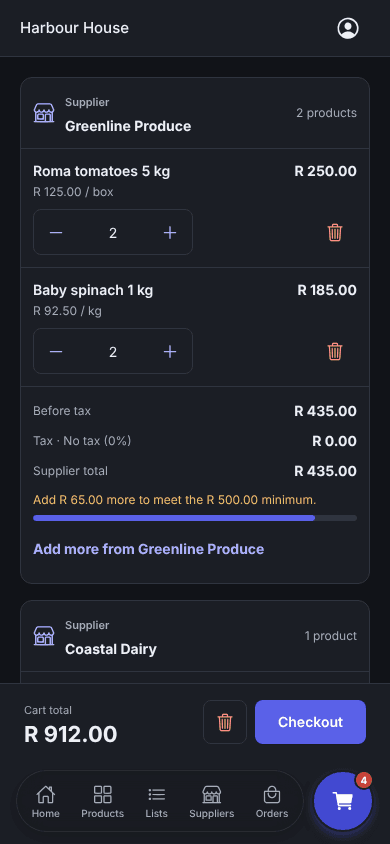
Add fruit and veg, dairy, coffee, packaging and services from different suppliers and check out once. Each supplier gets its own order.
For customers
Stop juggling calls, chats and emails to place orders. Order from all your suppliers in one cart, at the prices you agreed, and know where every delivery is.
What you get
Add fruit and veg, dairy, coffee, packaging and services from different suppliers and check out once. Each supplier gets its own order.
You see the prices from the catalogue your supplier gave you, and every order keeps the price you checked out at.
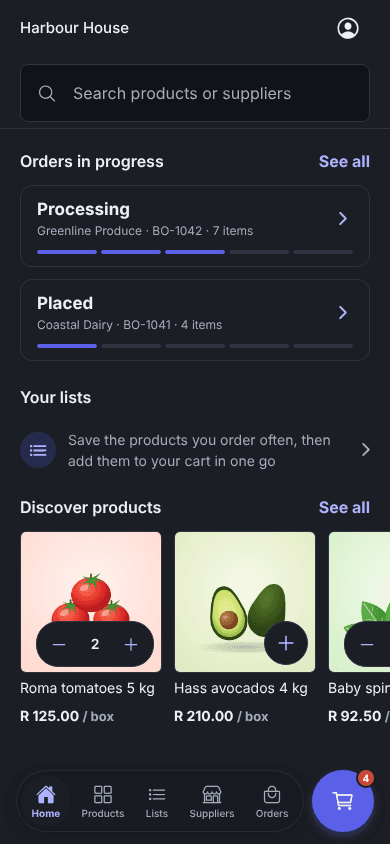
Keep personal or shared lists with usual quantities, then add a whole list to the cart in one step.
Everything you have bought before, ready to reorder at the last quantity.
See which orders are in progress and which are done, and filter by supplier.
Know when an order is accepted, dispatched or completed, and when a supplier approves you.
Where your supplier offers it, send your order as a WhatsApp message and confirm the priced reply.
Owners, admins, buyers and viewers each get the access they need.
In the app
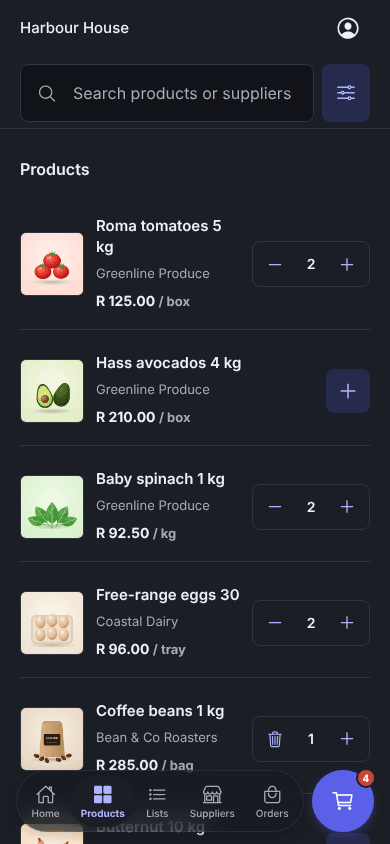
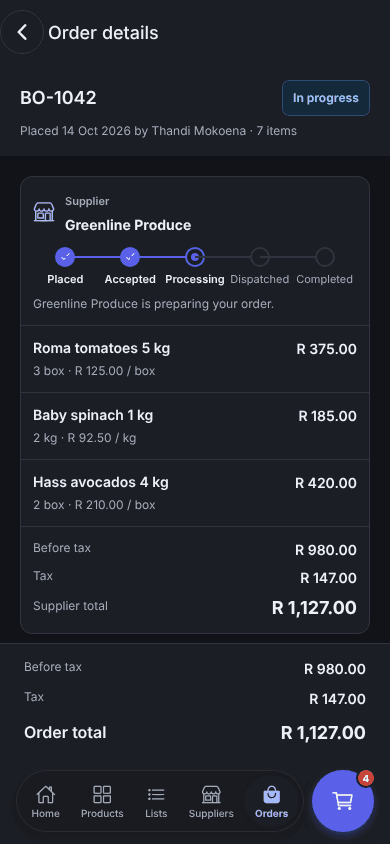
Every supplier's products with photos and agreed prices, one cart and every order's progress.
Getting started
Prices and ordering open once each supplier approves you, so you always buy on the terms you agreed.
Tell us about your business and where you take deliveries. We check every new business before it can order.
Find the suppliers you already use, or new ones, and ask to connect. You can browse their products straight away.
Once a supplier approves you, their prices appear. Those are your prices, from your catalogue.
Add products from several suppliers and check out once. Each supplier gets its own order.
Follow each order as it is accepted, prepared, dispatched and completed, with a notification at every step.
Questions
Restaurants, cafés, hotels and caterers that order from several suppliers, and the suppliers who sell to them: fresh produce, dairy, meat, coffee, drinks, packaging and more. Suppliers can sell services too.
After the supplier approves the connection. Until then a customer can browse products, but prices and ordering stay closed. Approved customers see the prices from the catalogue their supplier gave them.
No. Enoki places the order with each supplier at your agreed prices. You pay your suppliers the way you do today.
Yes. Connect your WhatsApp Business number under Connections. A customer sends their order as a message, Enoki replies with the products and prices, and they reply YES to place it.
Two places. On WhatsApp, AI reads what the customer asked for and Enoki builds the priced order for them to confirm. And in preview, you can connect ChatGPT or Claude to Enoki to ask about your orders and products, or prepare changes that you review in Enoki before they apply. You can also schedule automations in your assistant, and our team can build bespoke workflows around how you work.
No. Everything for ordering works in the web dashboard. The app adds push notifications, dark mode and ordering from your phone, for customers and suppliers.
We'll walk you through ordering, approvals and fulfilment, and set up your workspace with you.